> ## Documentation Index
> Fetch the complete documentation index at: https://docs.raykoi.com/llms.txt
> Use this file to discover all available pages before exploring further.
# API Keys
> Create and manage secret keys for server-side access.
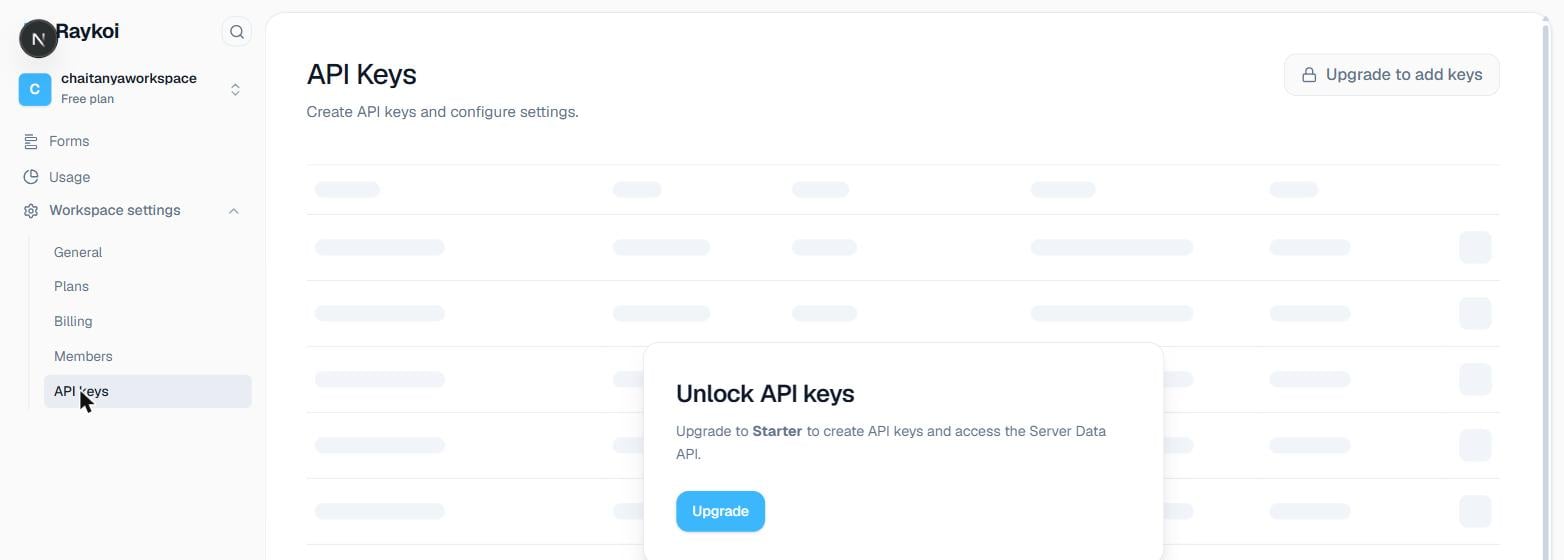
API keys authenticate your **backend** — either to submit on someone's behalf without CAPTCHA, or to read data through the [Server Data API](/api-reference/server-data-api). They're managed from your workspace's **API Keys** settings.
A key requires the **Starter plan or above**. Never expose a key in client-side code, a public repo, or a mobile app bundle — anything with `submit` scope can create submissions, and anything with `read`/`admin` scope can read or delete your data.
 ## Creating a key
Something that identifies where it's used — `production-backend`, `zapier-integration` — since you'll see this name (not the key itself) everywhere the key is referenced later.
`live` (`rk_live_...`) for production, `test` (`rk_test_...`) for anything you don't want mixed into real data.
Authenticates a submission, skipping the CAPTCHA gate. Included by default.
Read access to the [Server Data API](/api-reference/server-data-api) — forms, submissions, analytics, file download URLs. Included by default.
Everything `read` grants, plus deleting submissions. Not included by default — add it deliberately.
The raw key is shown **exactly once**, at creation. Only its prefix (`rk_live_ab12...`) is ever shown again — if you lose the full value, revoke it and create a new one rather than trying to recover it.
## Using it
Same header everywhere the key is accepted — submitting, or reading through the Server Data API:
```bash theme={null}
curl -X POST "https://api.raykoi.com/api/v1/submit/p/YOUR_PUBLIC_ID" \
-H "Authorization: Bearer rk_live_YOUR_KEY" \
-H "Content-Type: application/json" \
-d '{"data": {"email": "user@example.com"}}'
```
```javascript theme={null}
import { createClient } from '@raykoi/sdk';
import { createAdminClient } from '@raykoi/sdk/admin';
// Submitting with a key — skips CAPTCHA
const client = createClient({ apiKey: process.env.RAYKOI_SECRET_KEY });
await client.form('YOUR_PUBLIC_ID').submit({ email: 'user@example.com' });
// Reading data with a key — requires `read` scope
const admin = createAdminClient({ apiKey: process.env.RAYKOI_SECRET_KEY });
const { submissions } = await admin.submissions.list('YOUR_PUBLIC_ID');
```
An invalid or revoked key returns `401`:
```json 401 theme={null}
{ "error": "Invalid API key." }
```
## Revoking a key
Immediate — a revoked key stops authenticating on its very next request in most cases. There's a short window (client-side caching, up to \~30 seconds) where a request already in flight on a different server instance might still succeed, but nothing new authenticates after that.
## Key limits
Your plan caps how many *active* keys you can have at once. Downgrading a plan never revokes existing keys — it only blocks creating new ones past the new, lower limit. If you're over the limit after a downgrade, your oldest keys (first created) stay counted as within-limit; anything newer is flagged as over-limit in the dashboard, though still functional until you revoke down to the new cap.
## Creating a key
Something that identifies where it's used — `production-backend`, `zapier-integration` — since you'll see this name (not the key itself) everywhere the key is referenced later.
`live` (`rk_live_...`) for production, `test` (`rk_test_...`) for anything you don't want mixed into real data.
Authenticates a submission, skipping the CAPTCHA gate. Included by default.
Read access to the [Server Data API](/api-reference/server-data-api) — forms, submissions, analytics, file download URLs. Included by default.
Everything `read` grants, plus deleting submissions. Not included by default — add it deliberately.
The raw key is shown **exactly once**, at creation. Only its prefix (`rk_live_ab12...`) is ever shown again — if you lose the full value, revoke it and create a new one rather than trying to recover it.
## Using it
Same header everywhere the key is accepted — submitting, or reading through the Server Data API:
```bash theme={null}
curl -X POST "https://api.raykoi.com/api/v1/submit/p/YOUR_PUBLIC_ID" \
-H "Authorization: Bearer rk_live_YOUR_KEY" \
-H "Content-Type: application/json" \
-d '{"data": {"email": "user@example.com"}}'
```
```javascript theme={null}
import { createClient } from '@raykoi/sdk';
import { createAdminClient } from '@raykoi/sdk/admin';
// Submitting with a key — skips CAPTCHA
const client = createClient({ apiKey: process.env.RAYKOI_SECRET_KEY });
await client.form('YOUR_PUBLIC_ID').submit({ email: 'user@example.com' });
// Reading data with a key — requires `read` scope
const admin = createAdminClient({ apiKey: process.env.RAYKOI_SECRET_KEY });
const { submissions } = await admin.submissions.list('YOUR_PUBLIC_ID');
```
An invalid or revoked key returns `401`:
```json 401 theme={null}
{ "error": "Invalid API key." }
```
## Revoking a key
Immediate — a revoked key stops authenticating on its very next request in most cases. There's a short window (client-side caching, up to \~30 seconds) where a request already in flight on a different server instance might still succeed, but nothing new authenticates after that.
## Key limits
Your plan caps how many *active* keys you can have at once. Downgrading a plan never revokes existing keys — it only blocks creating new ones past the new, lower limit. If you're over the limit after a downgrade, your oldest keys (first created) stay counted as within-limit; anything newer is flagged as over-limit in the dashboard, though still functional until you revoke down to the new cap.