> ## Documentation Index
> Fetch the complete documentation index at: https://docs.raykoi.com/llms.txt
> Use this file to discover all available pages before exploring further.
# Team & Roles
> Four roles, invite-based membership, and exactly what each role can do.
## Roles
Four roles, each strictly containing the permissions of the one below it:
| Role | Can do |
| ---------- | ------------------------------------------------------------------------------------------------------------------------- |
| **Owner** | Everything — plus workspace deletion and billing/plan changes. Exactly one per workspace, non-transferable. |
| **Admin** | Everything below, plus manage members, [API keys](/dashboard/api-keys), and [webhooks](/essentials/integrations/webhook). |
| **Editor** | Everything below, plus create/edit forms and their settings. |
| **Viewer** | Read-only — view forms, submissions, and analytics. Can't change anything. |
There's no custom/granular permission system beyond these four — a role either can or can't do a given action, checked server-side on every request, never just hidden in the UI. A viewer hitting an editor-or-above action gets this regardless of what the UI shows:
```json 403 theme={null}
{ "error": "Access denied: Insufficient permissions." }
```
## Inviting someone
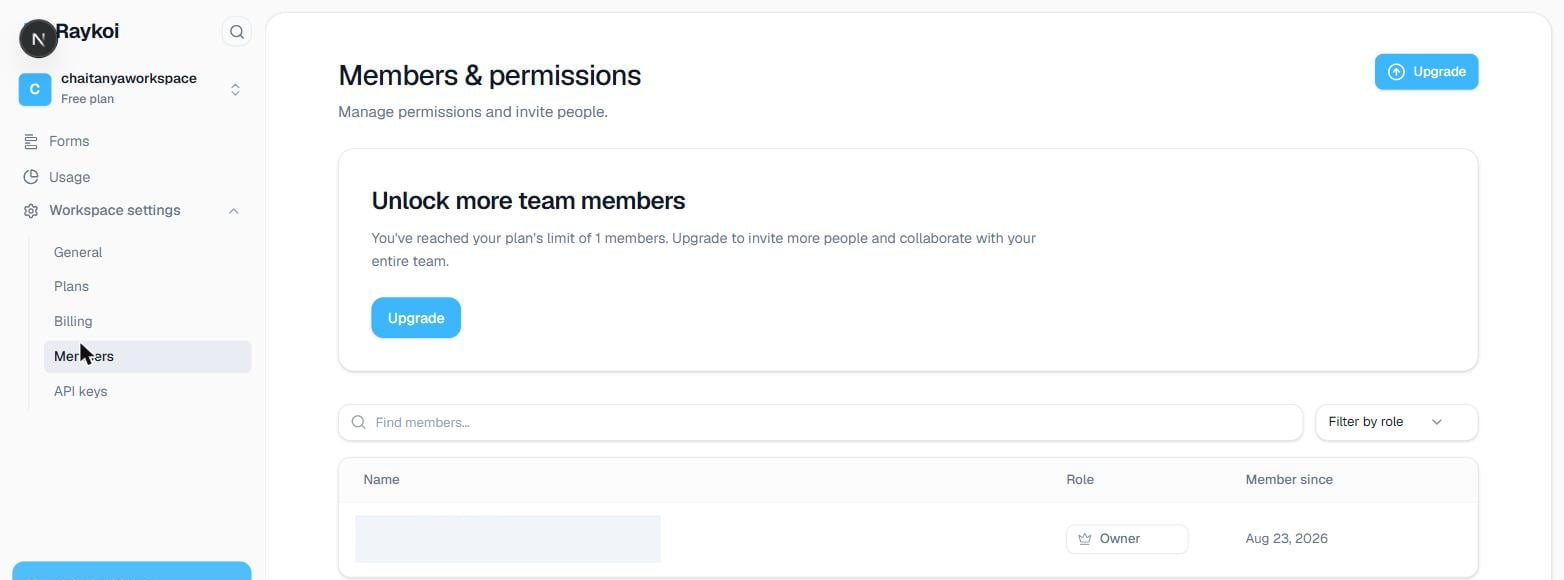
From **Team** settings, enter their email and pick a role — `admin`, `editor`, or `viewer` (there's no `owner` invite — ownership belongs permanently to whoever created the workspace, see below).
The invite email links to an acceptance page. Until accepted, it shows as **Pending** in your Team settings — you can resend or revoke it from there.
They now have that role's access to every form in the workspace — roles aren't currently scoped per-form.
 ## Changing or removing someone's access
Change a member's role or remove them entirely from **Team** settings — requires `admin` or `owner`. Removing someone takes effect immediately; any session they have open stops working on their next request.
Ownership isn't transferable — it belongs to whoever created the workspace, permanently. Workspace deletion and billing/plan changes are the two things only that one account can do, even an `admin` can't.
## Changing or removing someone's access
Change a member's role or remove them entirely from **Team** settings — requires `admin` or `owner`. Removing someone takes effect immediately; any session they have open stops working on their next request.
Ownership isn't transferable — it belongs to whoever created the workspace, permanently. Workspace deletion and billing/plan changes are the two things only that one account can do, even an `admin` can't.